Work  /  Back Office  /  11  ·  Home services & construction

Invoice & Document Intake into Your Accounting System

Construction · Wholesale · Professional services · Property · Logistics

Built — counted from the workflow JSON in the repository; not yet run against live accounts
78nodes
5workflows
20sticky notes
76connections
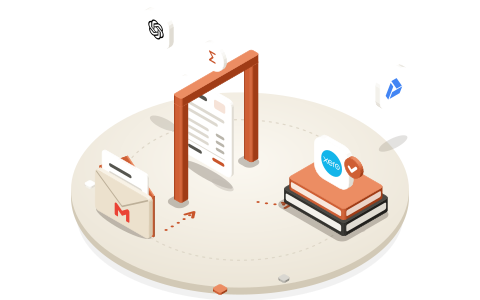
An invoice passing a checking gate, between an opened email and a stack of ledgers marked Xero.

The problem

Someone opens each PDF, reads it and keys the same six fields into the accounting system.

Supplier invoices, receipts and delivery notes arrive as attachments in a mailbox. It is high volume, entirely mechanical, and the cost of doing it by hand is already on the payroll.

How it runs

  1. Watch and classify

    01 / 07 Workflow 1 of 5 · Watch Mailbox & Classify · 20 nodes

    The mailbox is watched, and each document is classified before anything else touches it.

    no text layer → exceptions

  2. Extract to a locked schema

    02 / 07 Workflow 2 of 5 · Extraction & Validation · 13 nodes

    Supplier, number, date, currency, line items, tax and total — into a schema the model cannot bend.

  3. Check the arithmetic

    03 / 07 Workflow 2 of 5 · Extraction & Validation · 13 nodes

    Line items plus tax must equal the stated total, within two cents, or nothing posts.

    does not add up → exceptions

  4. Match a purchase order

    04 / 07 Workflow 3 of 5 · PO Matching · 12 nodes

    Candidate POs are scored on supplier, amount and date; when two come close, a person chooses.

  5. Approve the exceptions

    05 / 07 Workflow 4 of 5 · Approval Queue · 20 nodes

    Unmatched or over-limit invoices wait in Slack for a signed, one-time approval.

  6. Post, once

    06 / 07 Workflow 5 of 5 · Post to Accounting · 13 nodes

    The ledger is searched for the same supplier and invoice number immediately before the bill is created.

  7. File, then label

    07 / 07 Workflow 5 of 5 · Post to Accounting · 13 nodes

    The original is filed and the right person told; the email is labelled last, so any earlier failure simply retries.

The five workflows, as built

Every node with its icon, as on the n8n canvasstarts a runa model or a parser, wired into the node above itHover a node for its name and type

  • 01Watch Mailbox & Classify

    20 nodes · 20 connections · 5 notes

    Watch AP Mailbox · Gmail TriggerWatch AP MailboxSplit Into One Attachment Per Item · CodeSplit Into OneAttachment Per…Extract PDF Text · Extract from FileExtract PDF TextUpload Original To Drive Intake · Google DriveUpload Original ToDrive IntakeText Layer Guard · CodeText Layer GuardMerge Text And Drive Result · MergeMerge Text AndDrive ResultHas Extractable Text? · IfHas ExtractableText?Log Needs-OCR Exception · Google SheetsLog Needs-OCRExceptionNotify AP — Scanned Doc Needs OCR · SlackNotify AP —Scanned Doc Needs…Classify Document Type · Basic LLM ChainClassify DocumentTypeClassifier Model · OpenAI Chat ModelDocument Type Schema · Structured Output ParserDocument TypeSchemaRecover Fields After Classification · CodeRecover FieldsAfter…Route By Document Type · SwitchRoute By DocumentTypePrepare Invoice Payload · Edit FieldsSend To Extraction & Validation · Execute WorkflowUpdate Drive Filing (Delivery Note) · Google DriveUpdate DriveFiling (Delivery…Log Delivery Note · Google SheetsLog Delivery NoteLog Unclassified For Triage · Google SheetsLog UnclassifiedFor TriageNotify AP — Needs Manual Look · SlackNotify AP — NeedsManual Look

    watch the mailbox, classify, route

  • 02Extraction & Validation

    13 nodes · 12 connections · 4 notes

    Receive From Intake · When Executed by Another WorkflowReceive FromIntakeExtract Invoice Fields · Basic LLM ChainExtract InvoiceFieldsExtraction Model · OpenAI Chat ModelExtraction ModelInvoice Schema (Locked) · Structured Output ParserInvoice Schema(Locked)Flatten Extraction Output · CodeFlattenExtraction OutputValidate Arithmetic · CodeValidateArithmeticArithmetic OK? · IfArithmetic OK?Log Arithmetic Exception · Google SheetsLog ArithmeticExceptionNotify AP — Arithmetic Mismatch · SlackNotify AP —Arithmetic…Call PO Matching · Execute WorkflowCall PO MatchingMatched And Auto-Approved? · IfMatched AndAuto-Approved?Send To Posting (Auto) · Execute WorkflowSend To Posting(Auto)Send To Approval Queue · Execute WorkflowSend To ApprovalQueue

    the locked schema, the arithmetic check

  • 03PO Matching

    12 nodes · 14 connections · 4 notes

    Receive From Validation · When Executed by Another WorkflowReceive FromValidationNormalise Supplier Key · CodeNormaliseSupplier KeyFetch Open Purchase Orders · Google SheetsFetch OpenPurchase OrdersScore PO Candidates · CodeScore POCandidatesCandidate Above Score Floor? · IfCandidate AboveScore Floor?Amount Within PO Tolerance? · IfAmount Within POTolerance?Under Auto-Approve Threshold? · IfUnderAuto-Approve…Set Matched · Edit FieldsSet MatchedSet Over Threshold · Edit FieldsSet OverThresholdSet Amount Variance · Edit FieldsSet AmountVarianceSet Unmatched · Edit FieldsSet UnmatchedReturn To Caller · No OperationReturn To Caller

    scored matching, four outcomes

  • 04Approval Queue

    20 nodes · 18 connections · 4 notes

    Receive For Approval · When Executed by Another WorkflowReceive ForApprovalBuild Approval Record · CodeBuild ApprovalRecordAppend To Approval Register · Google SheetsAppend ToApproval RegisterPost Approval Card To Slack · SlackPost ApprovalCard To SlackQueued For Approval · No OperationQueued ForApprovalSlack Action Callback · WebhookSlack ActionCallbackVerify Slack Signature · CodeVerify SlackSignatureSignature Valid? · IfSignature Valid?Refuse Unsigned Request · Respond to WebhookRefuse UnsignedRequestParse Slack Action · CodeParse SlackActionLook Up Approval Record · Google SheetsLook Up ApprovalRecordStill Pending? · IfStill Pending?Respond Already Actioned · Respond to WebhookRespond AlreadyActionedApproved? · IfApproved?Mark Approved · Google SheetsMark ApprovedSend To Posting (Approved) · Execute WorkflowSend To Posting(Approved)Respond Approved · Respond to WebhookRespond ApprovedMark Rejected · Google SheetsMark RejectedNotify AP — Rejected · SlackNotify AP —RejectedRespond Rejected · Respond to WebhookRespond Rejected

    the register, a Slack card, a signed callback

  • 05Post to Accounting

    13 nodes · 12 connections · 3 notes

    Receive For Posting · When Executed by Another WorkflowReceive ForPostingGet Accounting Access Token · HTTP RequestGet AccountingAccess TokenSearch Existing Bills · HTTP RequestSearch ExistingBillsAlready Posted? · IfAlready Posted?Log Duplicate Blocked · Google SheetsLog DuplicateBlockedNotify AP — Duplicate Blocked · SlackNotify AP —Duplicate BlockedBuild Bill Payload · CodeBuild BillPayloadCreate Bill · HTTP RequestCreate BillAttach Original To Bill · HTTP RequestAttach OriginalTo BillFile Original In Posted Folder · Google DriveFile Original InPosted FolderLog Posted · Google SheetsLog PostedLabel Source Email Processed · GmailLabel SourceEmail ProcessedNotify AP — Posted · SlackNotify AP —Posted

    duplicate guard, post, file, notify

78 executing nodes, by type

Code 11Google Sheets 11If 10Slack 7Edit Fields 5Execute Workflow 5When Executed by Another Workflow 4Respond to Webhook 4Other 21

The gates, 11 If and Switch nodes, decide whether anything happens next: a countable part of the system, not a claim about it. The 20 sticky notes carry the reasoning on the canvas, at the point it applies.

The guards, and what each one prevents

HoverTap a card to read what it prevents.

  • The arithmetic has no human bypass

    An approver can clear “no matching PO” or “over the limit”. Nothing clears a number that does not add up, because approving it would not make it correct.

  • Scored matching, not first-match

    Supplier name alone scores 60 against a floor of 75, so it must be corroborated by the amount or the date. A PO dated after the invoice scores nothing on date.

  • Ambiguity exits as unmatched

    If the top two candidates are within 10 points, a person chooses. A coin toss dressed as a decision is worse than an honest handoff.

  • Approvals are signed, and re-read

    The webhook checks Slack’s signature, its freshness and that a secret is configured at all. Status is re-read at decision time, because a Slack button stays clickable after it is pressed.

  • The duplicate check sits right before the write

    Against the ledger, not a local log: the gap between checking and writing is exactly where a double entry happens.

Limits, stated plainly

  • Built, not yet deployed. Every file imports cleanly; there has been no successful run against a real Xero account yet.
  • The accounting system is Xero. QuickBooks means rewriting the posting workflow; the other four are vendor-neutral.
  • OCR is not included. A scanned document with no text layer goes to exceptions rather than being guessed at.
  • The auto-approve limit (2,500) and the PO tolerance (2%, or 2 currency units) live in the node: editable, not yet configuration.

Built with

  • n8n
  • Gmail
  • Google Drive
  • OpenAI
  • Xero
  • Google Sheets
  • Slack